
Articulate Storyline: How to a publish single slide & scene
In earlier version of Articulate Storyline, publishing a single slide or a scene was not possible. Whereas in Articulate Storyline 360, it is possible to do so.
Let’s have a look at publish settings.
Step 1
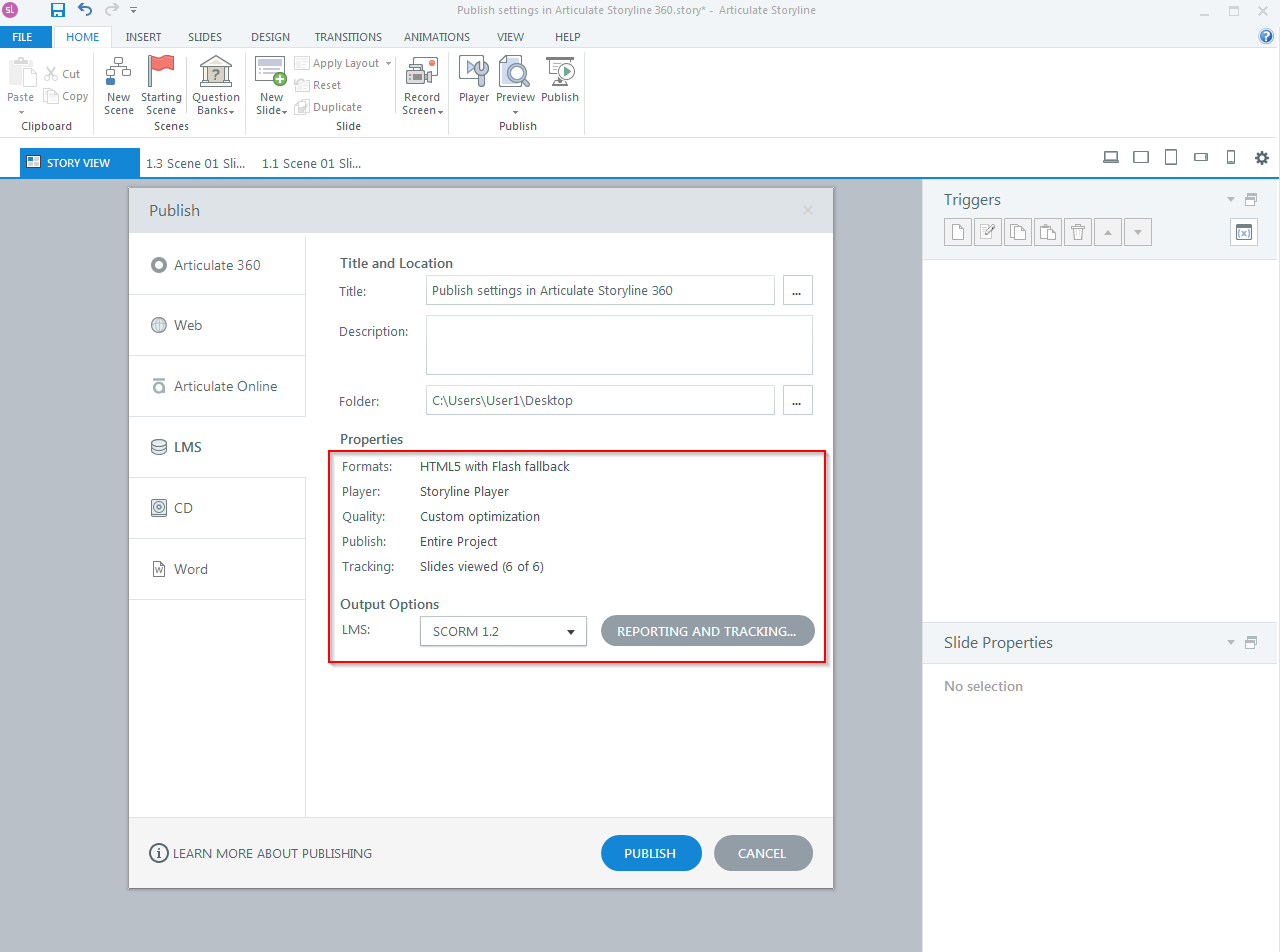
Open the publish settings dialog box.
Step 2
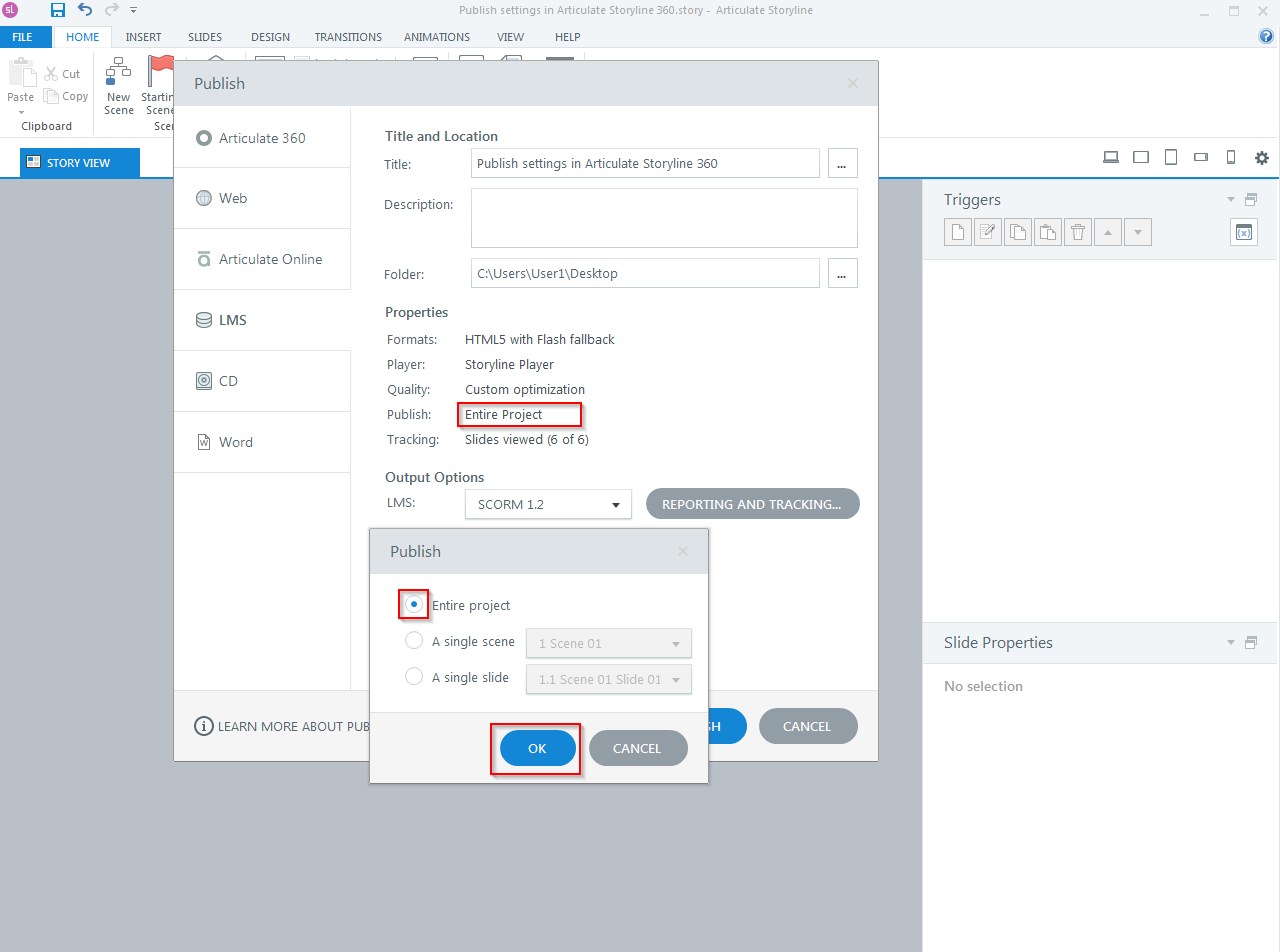
Click on “Publish” option. The “Entire project” option will publish the complete course.
Step 3
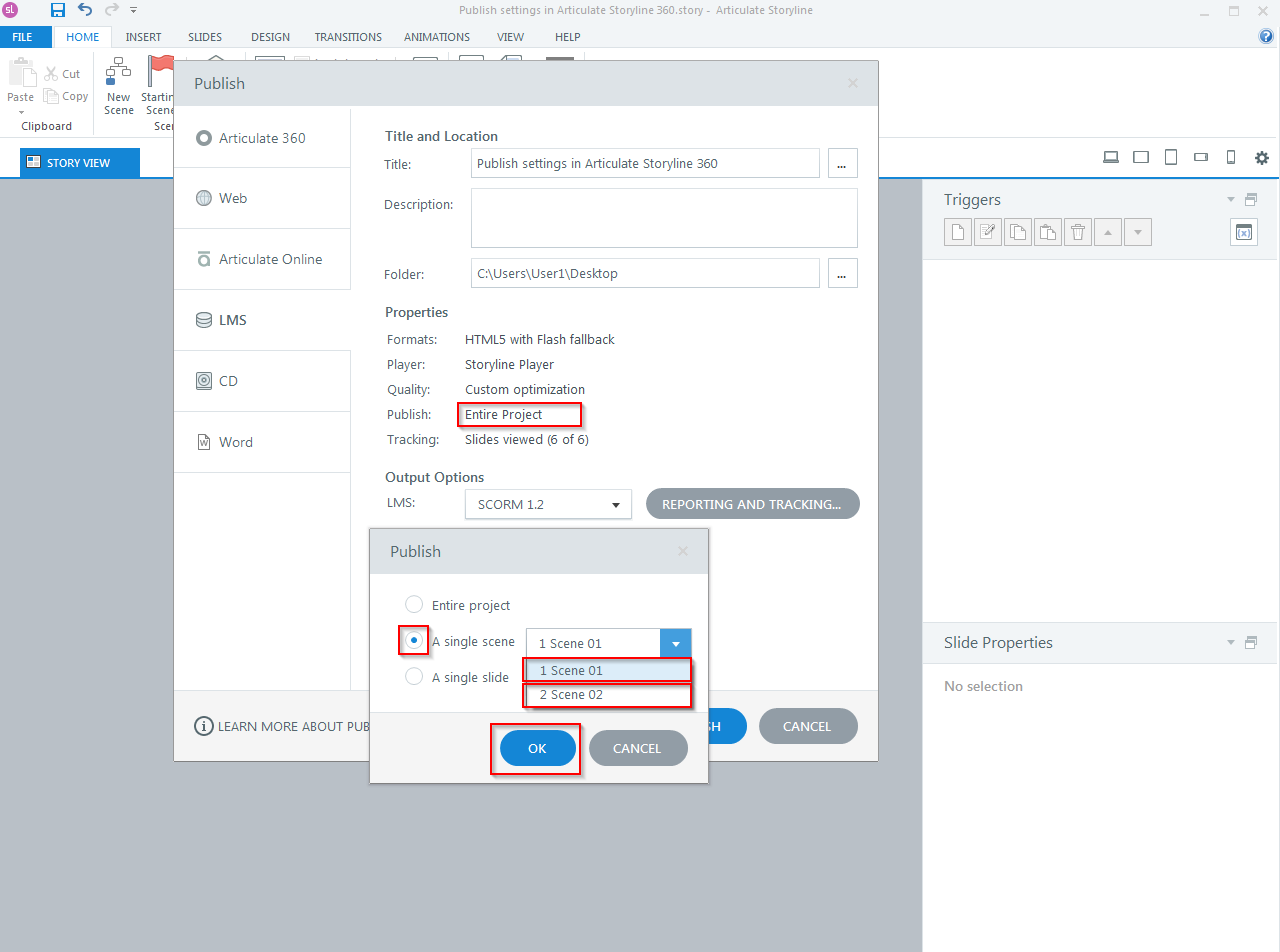
To publish a scene, select “A single scene” option.
Step 4
To publish a single slide, select “A single slide” option.
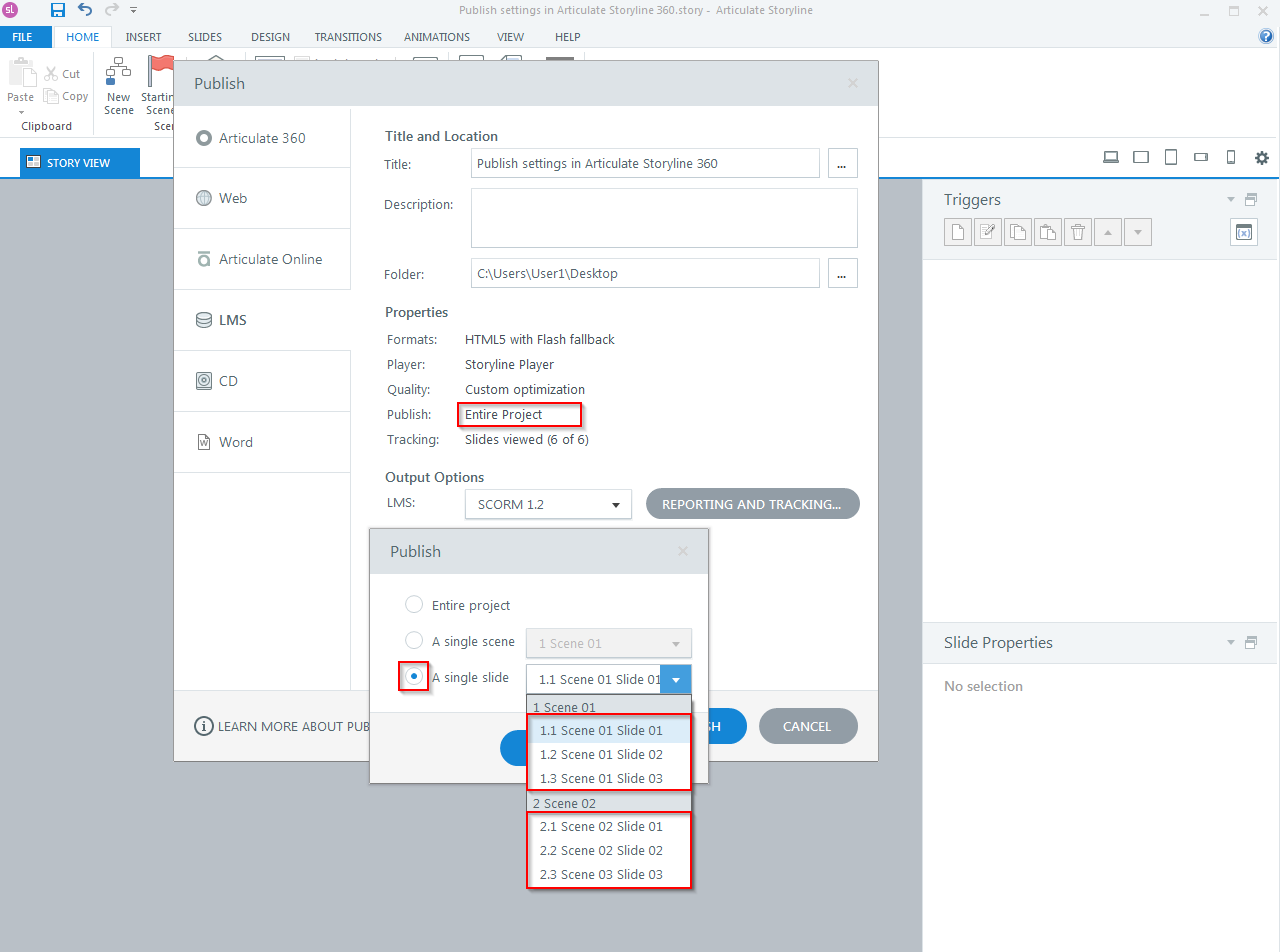
Click “OK” and then click “Publish” to see the output.
Our Services: Convert PowerPoint to eLearning, eLearning Translation Services, eLearning Vendor


Leave a Reply
Want to join the discussion?Feel free to contribute!