
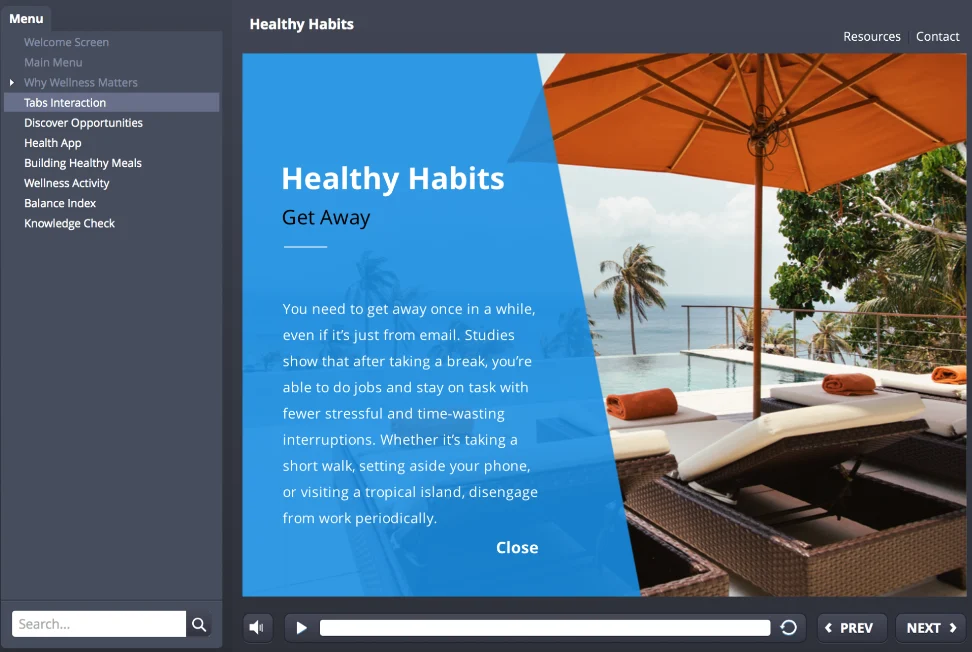
Structural Comparison: Classic Player vs. Modern Player
| Feature Element | Classic Player | Modern Player |
|---|---|---|
| Tab Alignment | Top-bar tabs can be placed on both left and right sides of the frame. | Top-bar tabs align to the right side; sidebar navigation docks to the left. |
| Media Control Locking | Disabling the seekbar automatically disables the play and pause buttons. | Play/pause buttons and seekbar controls operate independently as detached components. |
| Cross-Device Display | Displays legacy desktop frame wrappers on mobile screens. | Automatically adapts to fit screen dimensions across mobile, tablet, and desktop views. |
Step-by-Step Configuration Guide
How to Switch to the Modern Player
-
01
Open the Home Tab
Navigate to the top ribbon in Storyline 360 and click the Home tab.
-
02
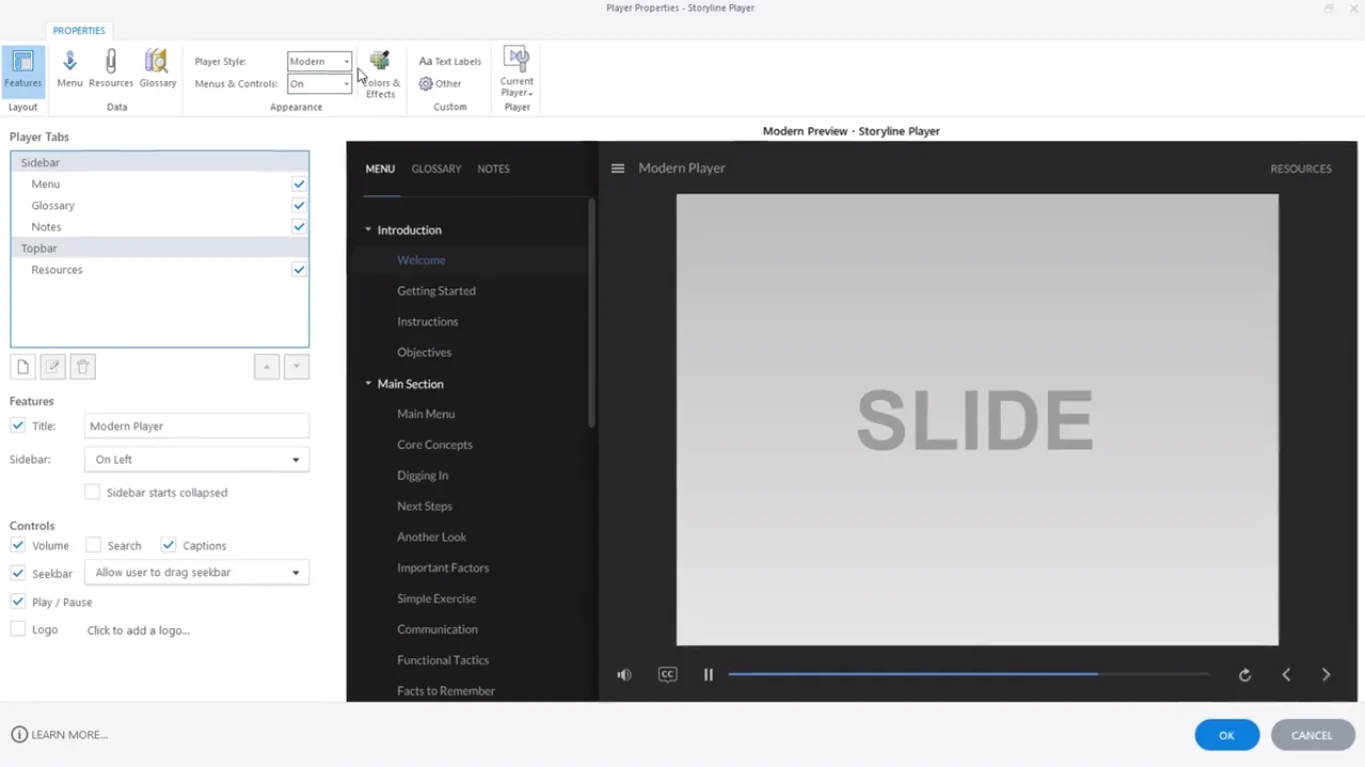
Open Player Properties
Select Player to open the Player Properties window.
-
03
Choose the Modern Player Style
Open the Player Style drop-down menu and select Modern.
-
04
Save and Apply
Click OK to save and apply the player frame changes.
Note: You can return to the Classic Player at any time by selecting Classic from the same drop-down menu.
How to Configure a Chromeless Interface (Turn OFF Controls)
To hide player menus, seekbars, and sidebars entirely for immersive interactions:
-
01
Open Player Properties
Open the Player Properties window from the Home tab.
-
02
Find Menus & Controls
Locate the Menus & Controls drop-down menu.
-
03
Select OFF
Select OFF to remove player controls and switch to a chromeless layout.
Frequently Asked Questions
Can I detach the seekbar from the play/pause controls in the Classic Player?
No. In the Classic Player, media control elements are tied together. Detached control toggling is a feature exclusive to the Modern Player interface.
What is a Chromeless Player?
A Chromeless Player hides all external player frames, navigation menus, title bars, and standard controls, allowing the slide canvas to take up the full viewing area.
Will switching to the Modern Player break my custom slide triggers?
No. Modern Player updates only affect the outer player wrapper framing; your slide-level triggers, variables, and timeline animations remain fully intact.