Storyline 360 Tutorial

Resolving Right-to-Left (RTL) Closed Caption Alignment in Articulate Storyline 360

When localizing eLearning content into Right-to-Left (RTL) languages such as Arabic, Hebrew, or Urdu, instructional designers often encounter unexpected layout behavior. A common technical issue in Articulate Storyline 360 occurs when published Closed Captions (CC) misalign with the screen resolution, defaulting to Left-to-Right layout parameters despite player language settings.

By applying a quick post-publish CSS adjustment, you can ensure that localized Closed Captions render with correct right-aligned orientation and text flow across all devices.

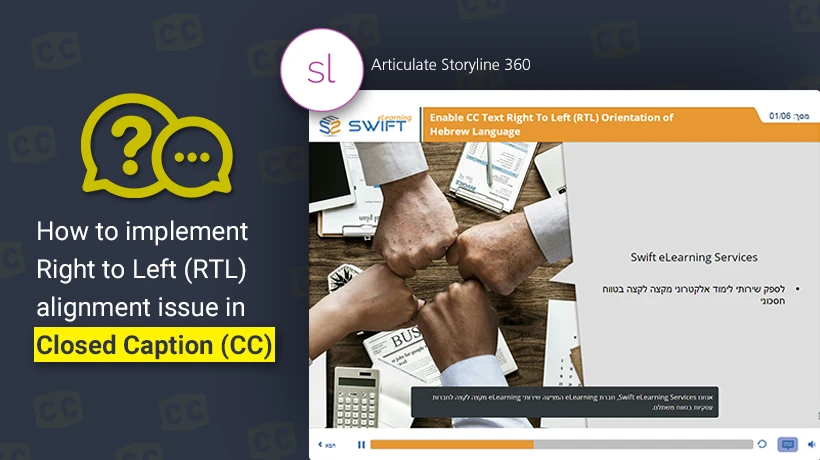
Storyline 360 course preview titled 'How to implement Right to Left (RTL) alignment issue in Closed Caption (CC)' showing a Hebrew-language slide with a closed caption bar

The Challenge: RTL Text Misalignment in Captions

While standard slide elements like text boxes adapt well to RTL configurations in Storyline 360, default video and audio closed caption containers can reset text direction upon publishing. This creates two distinct problems:

  • Punctuation marks and leading words appear on the wrong side of the screen.
  • Sentence structures reverse, disrupting comprehension for native speakers.

Step-by-Step CSS Fix for RTL Captions

Follow this process to modify your published course output files:

  1. 01

    Locate the CSS File

    Open your published course output folder, navigate to the Web output directory, and locate the file named main.min.css.
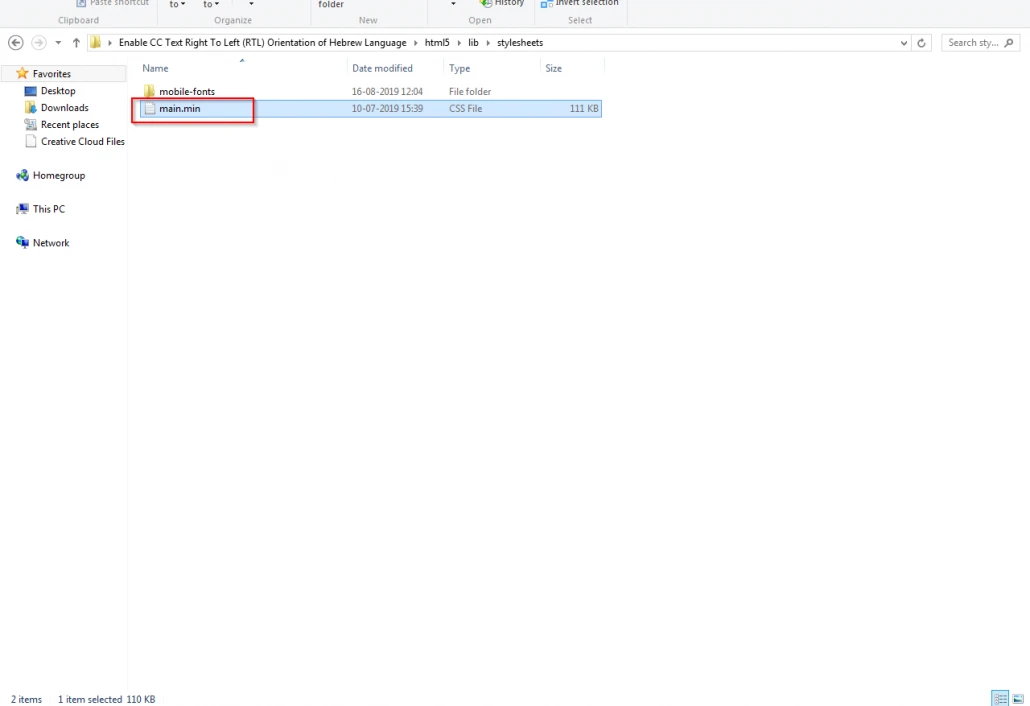
    Windows File Explorer showing the published Storyline 360 output folder with main.min.css selected inside the html5/lib/stylesheets directory
  2. 02

    Open in a Code Editor

    Right-click main.min.css and select Edit with Notepad++ (or your preferred text editor).
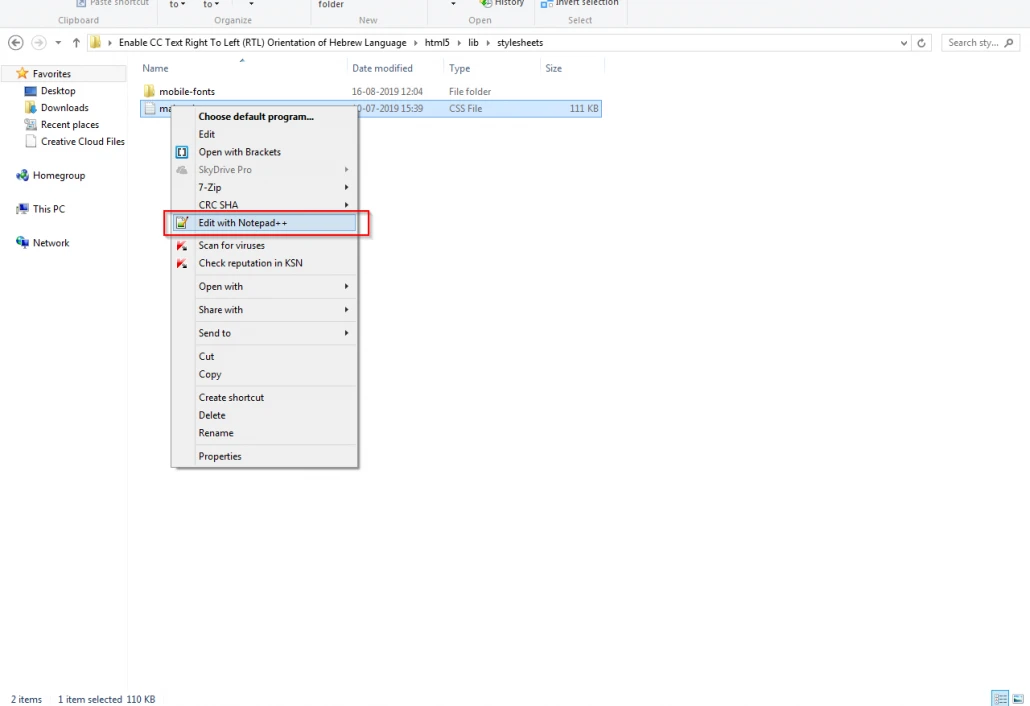
    Windows right-click context menu with Edit with Notepad++ highlighted for the main.min.css file
  3. 03

    Update Text Direction

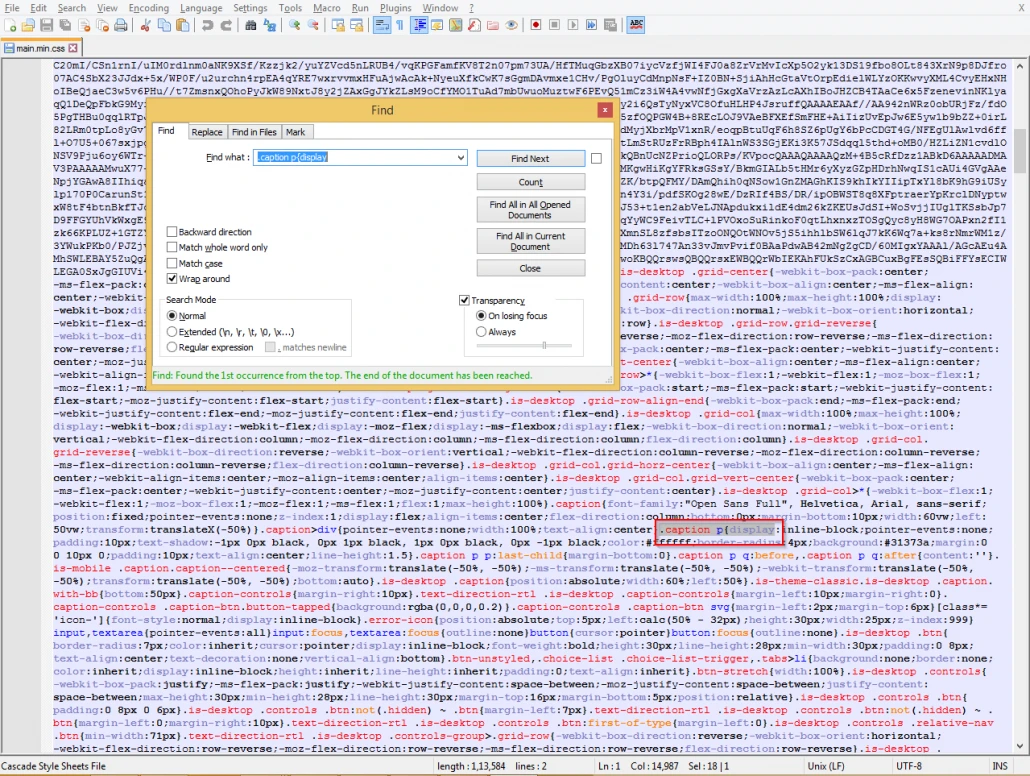
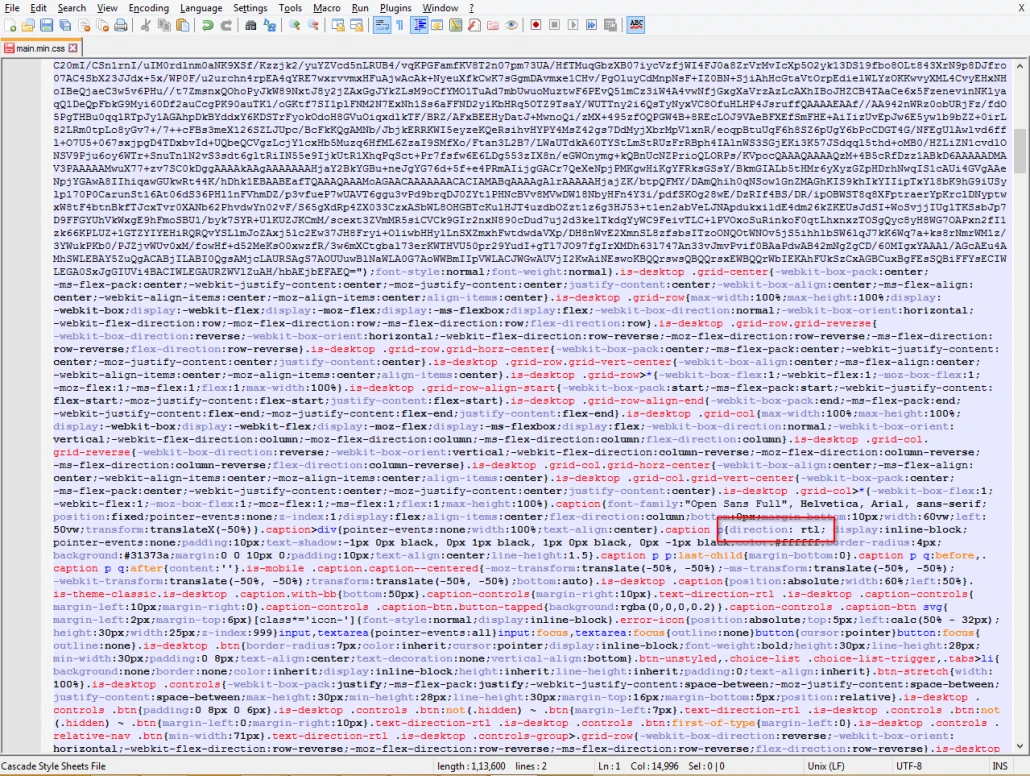
    Search for the CSS class declaration .caption p{display and replace it with:

    .caption p{direction: rtl; display
    Notepad++ Find dialog locating the .caption p{display CSS declaration in main.min.css Notepad++ showing direction: rtl successfully inserted into the .caption p CSS declaration
  4. 04

    Update Text Alignment

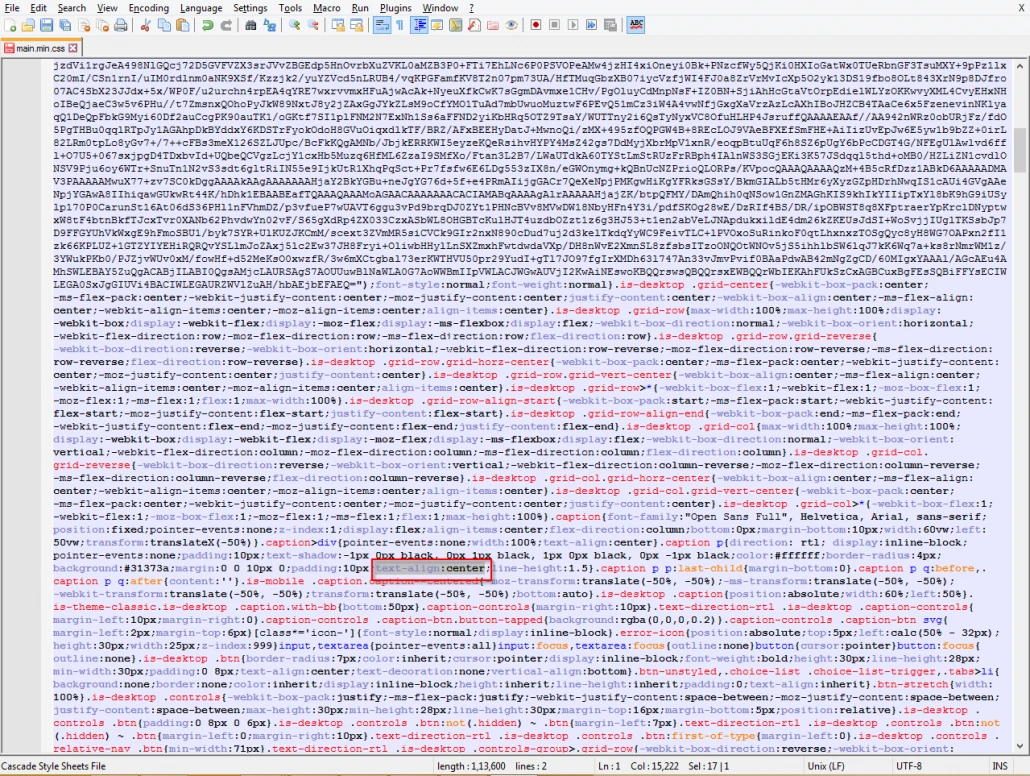
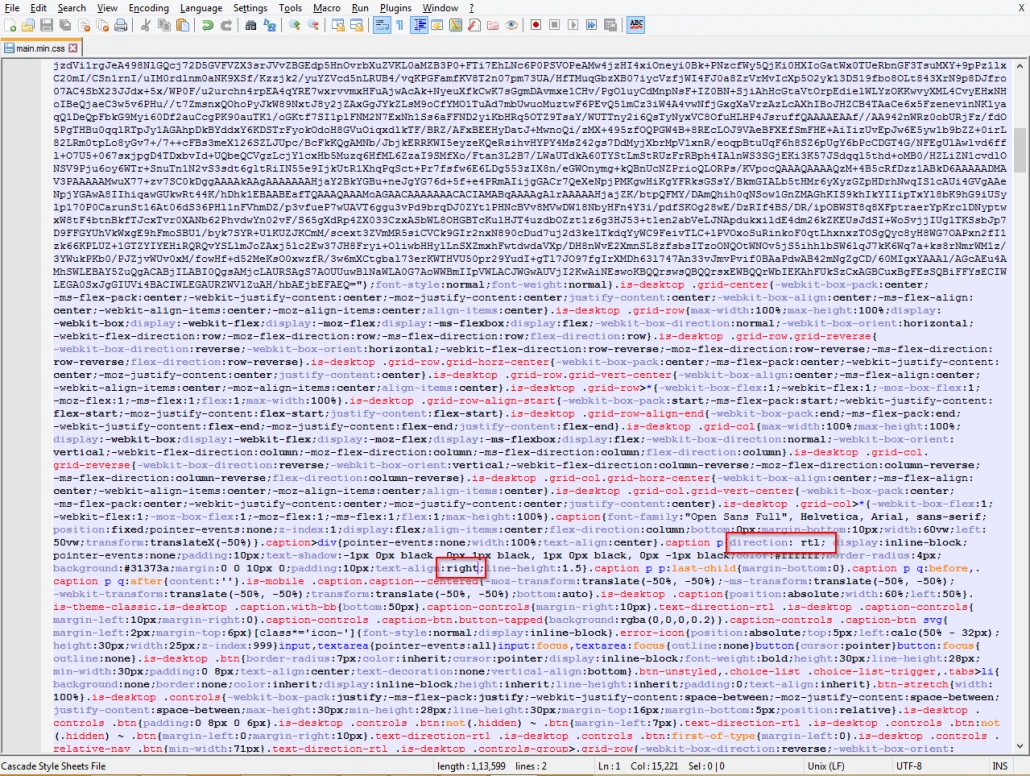
    Locate the code string text-align:center;line within the caption styling block and replace it with:

    text-align:right;line
    Notepad++ showing the original text-align:center;line-height:1.5 declaration in the caption styling block before editing Notepad++ showing text-align:right;line-height:1.5 successfully applied to the caption styling block
  5. 05

    Save and Test

    Save your changes and relaunch story.html in your web browser to verify that captions align correctly to the right margin.

Comparative Summary: Before vs. After CSS Modification

Feature Standard Storyline 360 Output Modified CSS Output
Reading Direction Left-to-Right default orientation Right-to-Left native text flow
Text Alignment Centered or left-justified lines Right-justified margin alignment
Local Representation Fragmented phrase structures Culturally accurate, legible subtitles
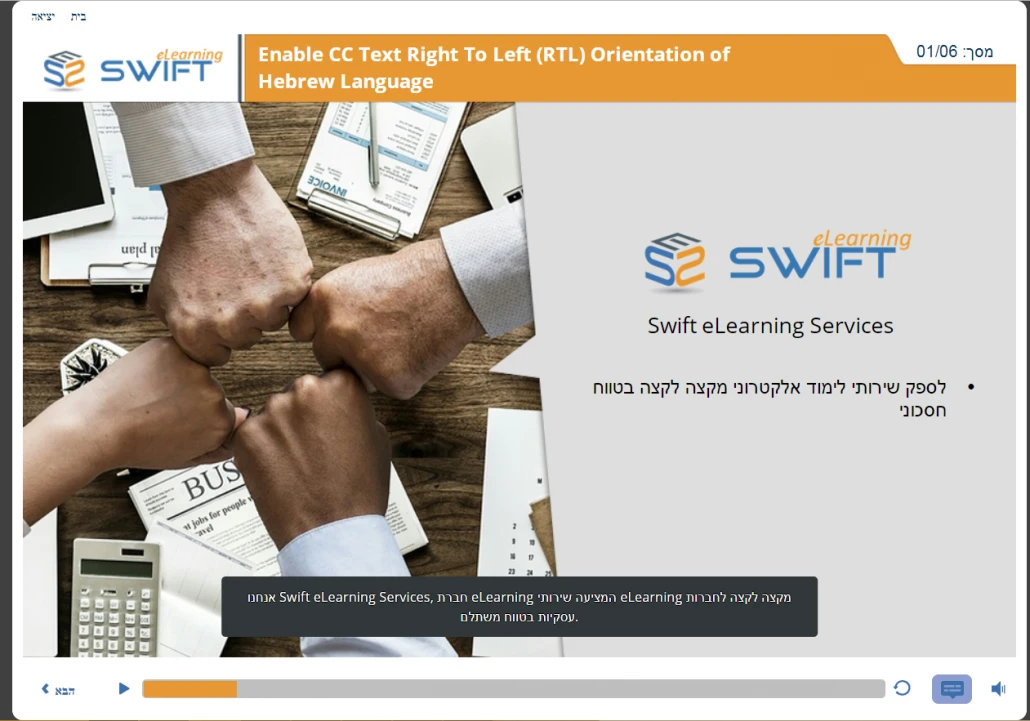
Published Storyline 360 course preview with the Hebrew closed caption before the RTL CSS fix
Before modifications
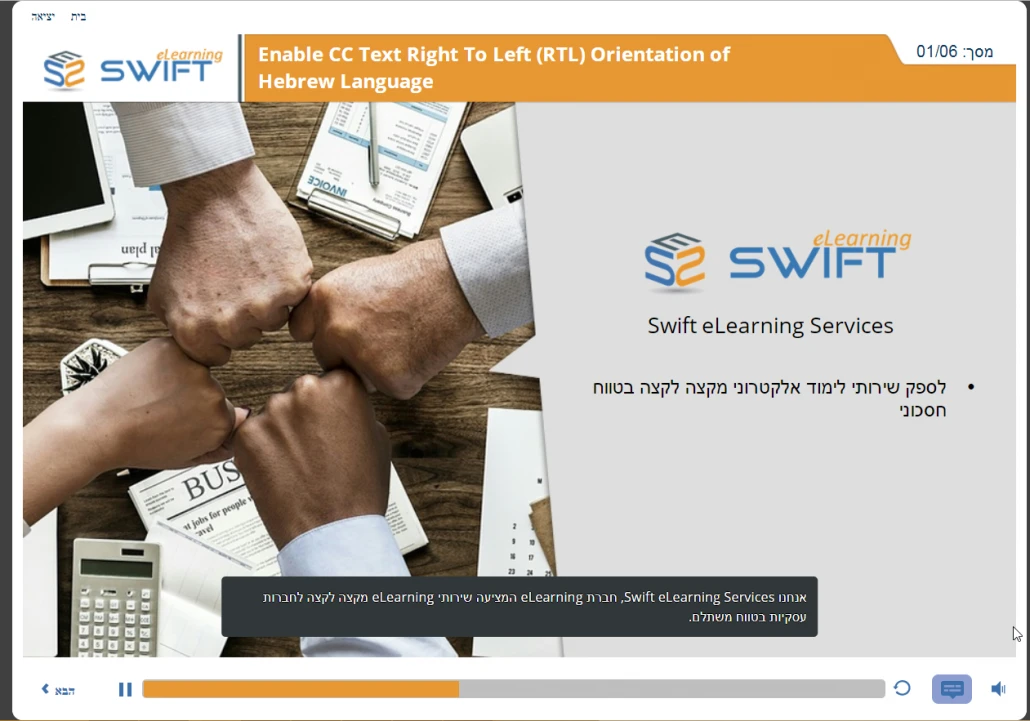
Published Storyline 360 course preview with the Hebrew closed caption correctly right-aligned after the RTL CSS fix
After modifications
FAQ

Frequently Asked Questions

Will re-publishing the Storyline project overwrite these CSS edits?

Yes. Exporting a new build from Articulate Storyline 360 generates a fresh main.min.css file, so you must re-apply these four editing steps after each re-publish.

Does this CSS modification impact Left-to-Right (LTR) languages in the same course?

This specific edit applies globally to the caption container. If you are building multi-lingual courses in a single package, create separate published packages for RTL and LTR languages.

Can I automate this fix for continuous integration pipelines?

Yes. Web developers can run a simple post-build Python script or PowerShell script to find and replace these string values automatically upon publishing.

Ready-to-Deploy Professional Catalog

Canadian Safety and Compliance Suite

SCORM-compliant health and safety courses ready for immediate deployment across operations, production, field, and logistics teams:

  • WHMIS standards, hazardous material handling, and chemical spill control protocols.
  • Workspace ergonomics, heavy lifting techniques, personal protective equipment, and first-aid procedures.
  • Elevated work protection, high-altitude protocols, cold-climate operations, and lockout/tagout (LOTO) procedures.

Free Enterprise Workforce Leadership Program

Pre-built professional development courses to upgrade core workforce competencies:

  • Management training, effective crisis communication, and cross-departmental alignment strategies.
  • De-escalation tactics, project management essentials, and corporate ethics guidelines.
Related Solutions

Tailored Digital Learning Content

Bespoke eLearning Architecture

High-impact, custom-designed online learning modules built to match your enterprise objectives and internal guidelines.

Learn more about Bespoke eLearning Architecture

Curriculum Design Support

Modernize internal guidelines, SOP manuals, and raw documentation into interactive, learner-focused online courses.

Learn more about Curriculum Design Support

Global Content Adaptation

Expand course accessibility worldwide through expert multi-language translation, cultural adaptation, localized voiceover, and WCAG accessibility standards.

Learn more about Global Content Adaptation
Get in Touch

Ready to Transform Your Training?

Get a tailored project proposal, custom timeline, and a free SCORM sample built directly from a slice of your existing training materials.

  • Free Proof-of-Concept

    Send us a short document or presentation, and we'll transform it into an interactive SCORM sample so you can judge our instructional design.

  • Expert Consultation

    Talk directly with our eLearning specialist to align your business goals with the right technology stack.

  • Transparent Pricing

    Clear cost estimates and realistic project milestones delivered with zero hidden fees.

Prefer direct email? Reach our lead team at [email protected].

Send Us a Message

Fill in a few details and we'll get straight back to you.