
What is an eLearning Authoring Tool?
An eLearning Authoring Tool is a software application for creating interactive online courses without requiring advanced programming skills.
Way of learning needs leads to creating various authoring tools to meet the learner requirements and the training models.
Many top authoring tools offer unique features, capabilities, and strengths for online learning and content creation.
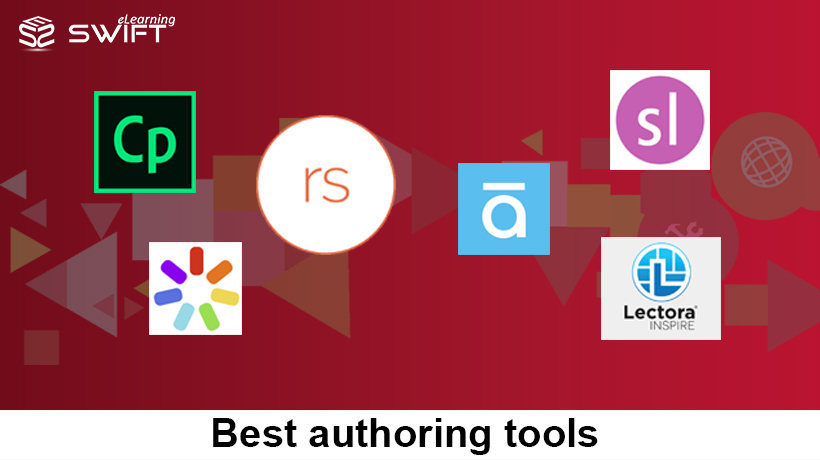
Here are the best authoring tools for rapid eLearning development.
Types of eLearning Authoring Tools
eLearning authoring tools can be categorized based on their functionality and deployment:
1. Desktop-Based eLearning Authoring Tools
Installed on local systems and offer advanced customization.
Articulate Storyline 360:
Articulate Storyline is a collective package authoring tool that builds highly interactive, engaging, and customized eLearning courses that support almost any mobile device. Free high-quality assets like images, videos, audios, characters, and templates can be used from the library. It provides the best viewing experience on tablets and mobile devices through its responsive player. There are 20 different question type interactions. The courses can be published for HTML5 and Flash output.
Key Features:
1. Support touch screen gestures
2. Rich features and numerous interactions with customization
Limitations:
1. Need to invest time to master the tool
2. Supports only Windows operating system
| CONVERSION OF LEGACY TRAINING MATERIAL TO ELEARNING |
| Enhance learning effectiveness and deliver learning seamlessly across all mobile platforms and browsers.
Learn more about our Conversion of Legacy Training Material To Elearning. |
Adobe Captivate:
Adobe Captivate, one of the most powerful eLearning authoring tool creates fully responsive courses with its in-built screen capturing feature. Software simulation at its best, allowing you to record and edit from within the application.
Key Features:
1. Interactions can be made besides complexity.
2. Most suitable for screen recording and software simulation.
3. No user intervention to design a course for a wide variety of platforms.
Limitations:
1. Limited animation effects when compared with other competitors.
2. Interactions don’t support fully on mobile devices.
Adobe Captivate 17:
Key Features:
1. Responsive design through the use of fluid boxes.
2. Single-click to convert legacy course as a responsive course.
3. Typekit integration to get access to Adobe font family.
4. Customized closed captioning.
Limitations:
1. Needs the training to master the tool.
Adobe Captivate 2019:
Key Features:
1. Virtual Reality Experience Learning.
2. Automatic Device Preview.
3. Fluid Boxes 2.0.
4. 360⁰ Learning Experiences.
5. Live Device Preview for VR.
6. Interactive Videos with Overlay Slides.
7. Smart Video Recording with Automatic Chroma Key Effects.
8. PowerPoint to eLearning conversion with Ease.
9. CSV Question Import Template.
| ADOBE FLASH COURSES TO HTML5 CONVERSION |
| Convert your Flash based legacy e-learning courses to HTML5 responsive courses.
Learn more about our Adobe Flash Courses To Html5 Conversion. |
| Are you planning to migrate your training material into online courses? |
|
Lectora Inspire:
Lectora Inspire is one of the oldest desktop-based authoring tools which creates magnificent eLearning courses with greater flexibility.
Its responsive design makes the content to automatically fit in all types of platforms.
It allows you to create audio-synced content with a richer look and feel and custom functionality.
Lectora Inspire 16:
Key Features:
1. Mobile learning courses developed at its ease.
Limitations:
1. The interface is very complex compare to the other authoring tools.
2. Budget constraints arise if not potentially used.
Lectora Inspire 17:
Key Features:
1. Course compliance standards SCORM, HTML, and xAPI.
2. Interactivity courses comply with WCAG (Web Content Accessibility Guidelines) and 508 standards.
Limitations:
1. Well trained developers with programming skills are required to create courses.
| CUSTOM ELEARNING CONTENT DEVELOPMENT |
| Develop custom eLearning solutions based on modern instructional design.
Learn more about our Custom Elearning Content Development. |
Camtasia:
Camtasia is a video-based eLearning authoring tool that allows users to create high-quality screen recordings and interactive training videos. It is widely used for software tutorials, demonstrations and instructional content development.
With its easy-to-use interface, users can record screen activity, edit videos and add annotations, effects and transitions to enhance learning experiences. Camtasia supports exporting content in multiple formats suitable for web and LMS platforms.
Key Features:
1. Screen recording with high-quality video output.
2. Built-in video editing tools with annotations and effects
3. Supports creation of interactive videos and tutorials
Limitations:
1. Limited interactivity compared to advanced authoring tools like Storyline.
2. Not primarily designed for full eLearning course development.
Lectora Inspire 17:
Key Features:
1. Course compliance standards SCORM, HTML, and xAPI.
2. Interactivity courses comply with WCAG (Web Content Accessibility Guidelines) and 508 standards.
Limitations:
1. Well trained developers with programming skills are required to create courses.
2. Cloud-Based eLearning Authoring Tools
Web-based tools that allow collaboration and remote access.
Articulate Rise 360:
1. With internet connectivity, learners can access the content anywhere since it is a web-based application.
2. Can create customized interactive lessons with pre-built lesson blocks and custom lesson blocks.
3. Supports both Windows and MAC operating systems.
4. Can create only lightweight courses.
Key Features:
1. Web-based application with anywhere access
2. Pre-built and custom lesson blocks
3. Cross-platform compatibility (Windows and Mac)
Limitations:
1. Can create only lightweight courses
Elucidat:
1. Elucidat is a cloud-based eLearning authoring tool that enables organizations to create high-quality interactive courses at scale.
2. With internet connectivity, users can access the platform from anywhere, making it ideal for distributed teams and global training programs.
3. It allows rapid development using pre-built templates and customizable branding features.
4. Supports responsive design, ensuring courses work seamlessly across all devices.
Key Features:
1. Cloud-based application with global access
2. Pre-built templates for rapid course development
3. Strong collaboration and team workflow features
4. Responsive design for multi-device compatibility
Limitations:
1. Higher cost compared to some other authoring tools
2. Limited advanced customization compared to desktop tools like Storyline
Chameleon Creator:
Chameleon Creator is a cloud-based eLearning authoring tool designed to create responsive and visually engaging learning content with ease. It enables users to develop interactive courses, microlearning modules, and mobile-friendly training without requiring advanced technical skills.
With its intuitive interface, users can quickly build courses using pre-designed templates and customize content to match branding and learning needs. It supports seamless publishing across devices and platforms.
Key Features:
1. Cloud-based platform with easy access from anywhere
2. Responsive design for mobile, tablet, and desktop learning
3. Pre-built templates for rapid course development
4. Simple drag-and-drop interface for content creation
Limitations:
1. Limited advanced interactivity compared to tools like Storyline
2. Fewer customization options for complex learning scenarios
3. PowerPoint-Based eLearning Authoring Tools
Built as add-ons to PowerPoint for quick course conversion.
iSpring Suite:
iSpring is one of the rapid elearning authoring tools which is integrated with Quizmaker, Dialogue simulations, Interactive Templates, screencasts, etc.
Even a novice can create an intuitive course with these features in iSPring toolkit. These courses are independent of the device and hence the user can access these courses in any device.
As it is embedded in PowerPoint, you can easily convert PowerPoint presentations into an eLearning course.
The output is compliance with LMS standards – SCORM, AICC and xAPI.
Key Features:
1. Interactive eLearning courses can be developed without any loss of animations, triggers, embedded video/audio, etc. when converted from PowerPoint.
2. Content that is published over the internet, can be accessed on any device with iSpring play app available in App Store and Google Play.
3. What You See Is What You Get (WYSIWYG) interface helps you to create quizzes with ease.
Limitations:
1. This tool is available only for windows operating system.
2. Limited editing options when compared to competitors.
3. PowerPoint is a must to create a course.
Articulate Studio 360:
Articulate Studio 360 is a PowerPoint-based authoring tool that enables rapid development of interactive eLearning courses with the help of built-in tools like Quizmaker, Engage interactions and Replay for screen recording.
It allows users to create engaging courses directly within PowerPoint, making it easy for beginners and instructional designers to convert presentations into interactive learning modules.
Courses developed using Articulate Studio 360 are compatible across devices and can be published in multiple formats including HTML5.
The output is compliance with LMS standards – SCORM, AICC and xAPI.
Key Features:
1. Seamless integration with PowerPoint for rapid course development.
2. Built-in tools like Quizmaker and Engage for creating assessments and interactions.
3. Publish courses in HTML5 format for mobile-friendly learning experiences.
Limitations:
1. Limited customization compared to Articulate Storyline 360.
2. Requires PowerPoint to create courses.
3. Less suitable for complex interactivity and branching scenarios.
Adobe Presenter:
Adobe Presenter is a PowerPoint-based eLearning authoring tool that helps convert presentations into interactive online courses with multimedia, quizzes and narration.
It enables users to add voiceovers, animations and assessments to PowerPoint slides, making it suitable for creating engaging training content quickly.
With Adobe Presenter, courses can be easily published for web and LMS platforms, ensuring accessibility across devices.
The output is compliance with LMS standards – SCORM, AICC and xAPI.
Key Features:
1. Converts PowerPoint presentations into interactive eLearning courses with multimedia support.
2. Allows addition of quizzes, voice narration and animations.
3. Easy publishing to LMS and web formats for wider accessibility.
Limitations:
1. Limited advanced interactivity compared to Adobe Captivate.
2. Dependency on PowerPoint for course creation.
3. Fewer customization options for complex learning scenarios.
AI-Powered Tools for eLearning Development
The rise of Artificial Intelligence is reshaping how eLearning content is created. AI tools are helps to reduce development time and enhance learning experiences.
Synthesia:
Synthesia allows you to create AI-powered training videos using virtual avatars.
1. No need for cameras or studios
2. Multi-language support
3. Cost-effective video production
ChatGPT:
AI tools like ChatGPT are widely used for generating:
1. Course scripts
2. Quiz questions
3. Learning objectives
4. Summaries and microlearning content
This significantly speeds up the development process.
Canva:
Canva is commonly used to design:
1. Infographics
2. Course visuals
3. Presentations
It enhances the visual appeal of eLearning content.
Murf.ai:
Murf.ai is an AI-powered voice generation tool that enables users to create realistic voiceovers for eLearning courses.
1. High-quality AI voiceovers for training content
2. Multiple voice styles and languages
3. Easy integration with video and presentations
VEED AI:
VEED AI is an AI-powered video editing platform that helps create and enhance learning videos.
1. AI voiceover and subtitle generation
2. Easy video editing and customization
3. Suitable for quick video-based learning content
Verdict:
All the eLearning authoring tools mentioned above have their own benefits and limitations but you have to ideally evaluate every tool and pick up the most suitable tool that makes your online courses at ease.
Also, you need to be cautious about the software whether it serves you with better customer support.
| Technical Support Center |
| If you need help in developing fully customized elearning courses then get in touch with us. |


I prefer iSpring Suite
That’s great to hear your preference for iSpring Suite! It’s an excellent choice for eLearning content creation.
Good Comparison.
In terms of VR, immersive learning, creating mobile responsive courses with Geotagging, integration with photoshop and multiple other video based features, Adobe Captivate 2019 is the best. It can take some time in mastering the tool but once that is done, it can be a highly customizable tool.
Thank you for your valuable input! It’s great to know that Adobe Captivate 2019 stands out in VR. Your insights are valuable for those considering their eLearning tool options.
Responsiveness is really important for elearning. If you see Captivate 2019, the fluid boxes have been enhanced even more. The Fluid Boxes can be resized by using a percentage or to the number of pixels. The enhanced fluid boxes auto aligns to devices or browsers. You can use the predefined options as well. The UI and UX is neat because it enables auto align and auto adjust. The number of options for mobile, ipad, desktop and web applications etc is more and can be customised to the area too. In tools like storyline, it has just 3 options and it is very limiting in terms of the range of devices used for eLearning.
You’re absolutely right! Responsiveness is vital in eLearning, and the enhancements to Fluid Boxes in Captivate 2019 make it a standout choice for accommodating the diverse range of devices used in eLearning. Thanks for sharing this valuable insight!
This article is a lifesaver! I was overwhelmed by the number of eLearning authoring tools out there. Your comparison makes it so much easier to make an informed decision. Thank you for sharing your insights through your blog post.
Thank you for your kind words! We’re glad to hear that our eLearning authoring tools comparison was helpful to you.
I’m so grateful I found this article on eLearning authoring tools. It’s been a challenge to navigate through the numerous options available, but this breakdown has made my decision-making process much easier. Thanks for sharing this informative piece!