Swift eLearning Services – Custom eLearning and Digital Training Solutions
  • Home
  • eLearning Services
    • Custom Elearning Solutions
    • Convert PowerPoint to eLearning
    • Rapid eLearning Development
    • Translation and Localization
    • Flash To HTML5 Conversion
    • Legacy Content Conversion
    • Mobile Learning
    • Gamification
    • Blended Learning Solutions for Online eLearning Modules
  • Software Development
    • Learning Management System
    • Workforce Management System
    • Human Resource Management System
    • Bug Tracker Software
    • Custom Software Development
  • Contact Us
  • Blog
  • Search
  • Menu Menu
  • 0Shopping Cart
  • Home
  • eLearning Services
    • Custom Elearning Solutions
    • Convert PowerPoint to eLearning
    • Rapid eLearning Development
    • Translation and Localization
    • Flash To HTML5 Conversion
    • Legacy Content Conversion
    • Mobile Learning
    • Gamification
    • Blended Learning Solutions for Online eLearning Modules
  • Software Development
    • Learning Management System
    • Workforce Management System
    • Human Resource Management System
    • Bug Tracker Software
    • Custom Software Development
  • Contact Us
  • Blog

Custom eLearning Leave-Behind Using Storyline 360

In today’s competitive instructional design landscape, showcasing your skills effectively is just as important as building them. Recruiters and hiring managers are no longer satisfied with static portfolios—they want to see real-world problem-solving, decision-making, and learning design in action..

We designed a high-impact, interactive leave-behind using Articulate Storyline 360, focused on a real-world challenge every instructional designer faces:

Managing SME Feedback During Course Development

This sample template is not just a demo—it’s a practical representation of decision-making, stakeholder communication, and scenario-based learning design.

Master Storyline 360 & Create Interactive eLearning Courses

Step-by-step training to help you create stunning eLearning courses from scratch—completely free.

Start Training Now

Project Overview

  • Objective

    To create a scenario-based microlearning module that helps learners understand how to effectively manage SME feedback without compromising instructional quality or project goals.

  • Approach

    This module was designed using modern instructional strategies:

    • Scenario-based storytelling
    • Decision-driven interactions
    • Contextual quiz design
    • Real-time feedback

  • Duration

    • 2–5 minutes microlearning module
    • Designed for quick consumption while maintaining high engagement.

Built with Articulate Storyline 360

We used Articulate Storyline 360 to bring this experience to life with advanced interactivity and control:

• Branching scenarios with triggers
• Variables for tracking decisions
• Interactive layers for feedback
• Responsive player for multi-device access

These capabilities allowed us to create a realistic, immersive learning experience that mirrors workplace challenges.

Learning Experience Design

In this module, the learner steps into the role of an Instructional Designer working with a Subject Matter Expert (SME).

Key Challenge Presented.

The learner must decide how to respond while balancing:

• Learning objectives
• Content accuracy
• Project timelines

Master Storyline 360 & Create Interactive eLearning Courses

Step-by-step training to help you create stunning eLearning courses from scratch—completely free.

Start Training Now

Decision-Driven Interactions

The core of the module is decision-based interaction.

Learners Make Choices Like:

1. Accept SME feedback without question
2. Push back using instructional reasoning
3. Collaborate and refine the content

Each decision leads to:

1. Different learning paths
2. Immediate feedback
3. Realistic consequences

Summary

This project highlights how a custom eLearning leave-behind built with Articulate Storyline 360 can effectively demonstrate real-world instructional design capabilities.

By combining:
1. Scenario-based learning
2. Decision-driven interactions
3. Practical workplace challenges

…it transforms a simple demo into a powerful proof of skill and expertise.

Frequently Asked Questions (FAQ)

1. Why use Articulate Storyline 360 for leave-behinds?

Articulate Storyline 360 is ideal because it enables:

  • Branching scenarios
  • Decision-based interactions
  • Variables to track learner choices
  • Interactive feedback layers
  • Mobile-friendly responsive player

These features help create realistic and engaging learning experiences.

2. What makes a good eLearning leave-behind?

A high-quality leave-behind should include:

  • A clear real-world scenario
  • Decision-making opportunities
  • Immediate feedback
  • Clean visual design
  • Strong instructional logic

Most importantly, it should show how you think as a designer.

3. Do I need advanced tools to create a leave-behind?

While tools like Storyline 360 are powerful, you can also start with:

  • Rise 360
  • PowerPoint (converted to eLearning)
  • Other rapid authoring tools

However, advanced tools allow for more interactivity and realism.
Master Storyline 360 & Create Interactive eLearning Courses

Step-by-step training to help you create stunning eLearning courses from scratch—completely free.

Start Training Now

GET A FREE ELEARNING SAMPLE

We transform your training material into engaging, SCORM-compliant courses.

Request a Free Sample  

Our Services


  • Rapid eLearning Solutions

  • Custom eLearning Development

  • Flash to HTML5 Conversion Services

  • Mobile Learning Solutions

  • Translation and Localisation Services

  • Gamification eLearning

Our Office Address

Asia: 704, Topaz Plaza, Punjagutta, Hyderabad, Telangana, India 500082

Australia: P.O. Box 107, Brisbane, Queensland, 4030

Canada: 750 Oakdale Rd Suite 56, North York, ON M3N 2Z4, Canada

USA: 12218 Old Gage Ranch, San Antonio, Texas 78245

Copyright ©2026 Swift eLearning Services.
  • Facebook
  • Twitter
  • LinkedIn
  • Youtube
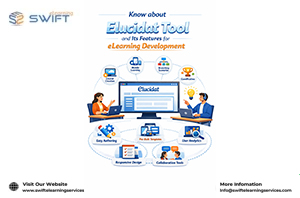
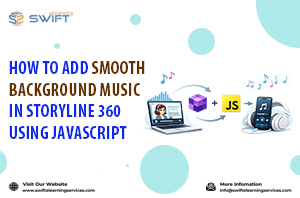
How to Add Smooth Background Music in Storyline 360 Using JavaScriptKnow about Elucidat Tool and Its Features for eLearning Development
Scroll to top