Custom eLearning and Digital Training Solutions Provider
  • Home
  • eLearning Services
    • Custom Elearning Solutions
    • Convert PowerPoint to eLearning
    • Rapid eLearning Development
    • Translation and Localization
    • Flash To HTML5 Conversion
    • Legacy Content Conversion
    • Mobile Learning
    • Gamified Learning Solutions
    • Blended Learning Solutions
  • Software Development
    • Learning Management System
    • Workforce Management System
    • Human Resource Management System
    • Bug Tracker Software
    • Custom Software Development
  • Contact Us
  • Blog
  • Search
  • Menu Menu
  • 0Shopping Cart
  • Home
  • eLearning Services
    • Custom Elearning Solutions
    • Convert PowerPoint to eLearning
    • Rapid eLearning Development
    • Translation and Localization
    • Flash To HTML5 Conversion
    • Legacy Content Conversion
    • Mobile Learning
    • Gamified Learning Solutions
    • Blended Learning Solutions
  • Software Development
    • Learning Management System
    • Workforce Management System
    • Human Resource Management System
    • Bug Tracker Software
    • Custom Software Development
  • Contact Us
  • Blog

How to Add Accessible Feedback Layers to the Questions in Articulate Storyline 360?

Click or tap on the play button below to watch the video for easier understanding.

Adding accessible feedback layers to questions in Articulate Storyline 360 is a crucial step in creating eLearning content that is inclusive and user-friendly for all learners, including those with disabilities.

Articulate Storyline 360 is a powerful eLearning authoring tool that allows instructional designers and developers to create interactive and engaging eLearning courses. This versatile tool is a key asset for eLearning development, offering the flexibility needed to craft custom eLearning solutions that align with specific learning objectives.

Accessible feedback layers serve to provide learners with additional information and guidance after they’ve attempted a question. These layers are particularly beneficial for those who may require additional clarification or who rely on assistive technologies like screen readers to access the content. They are an integral part of eLearning design, ensuring that custom eLearning solutions are usable by a wide range of learners.

In this guide, we will walk you through the process of enhancing the accessibility of your quiz questions by incorporating feedback layers that can be accessed and understood by a wide range of users.

Here’s a step-by-step guide on how to add accessible feedback layers to questions in Articulate Storyline 360. This practice forms the foundation for creating corporate eLearning solutions:

Step 1: 

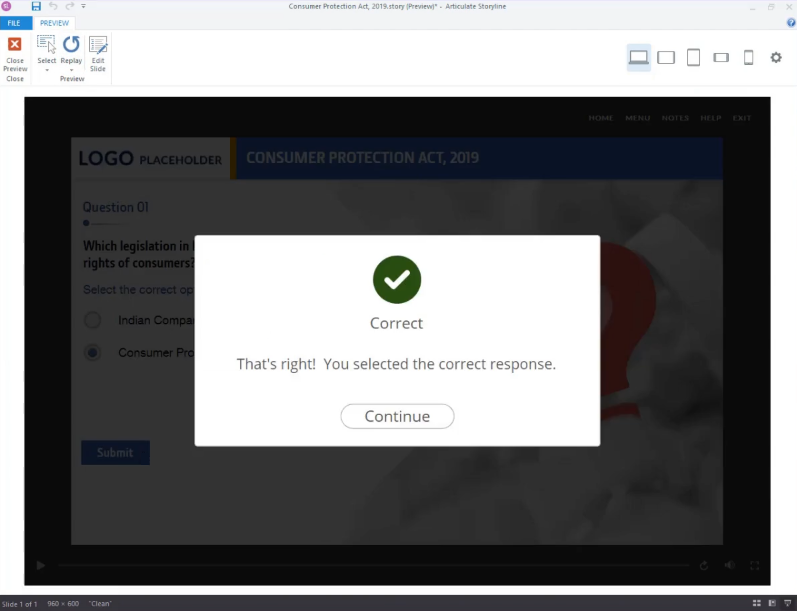
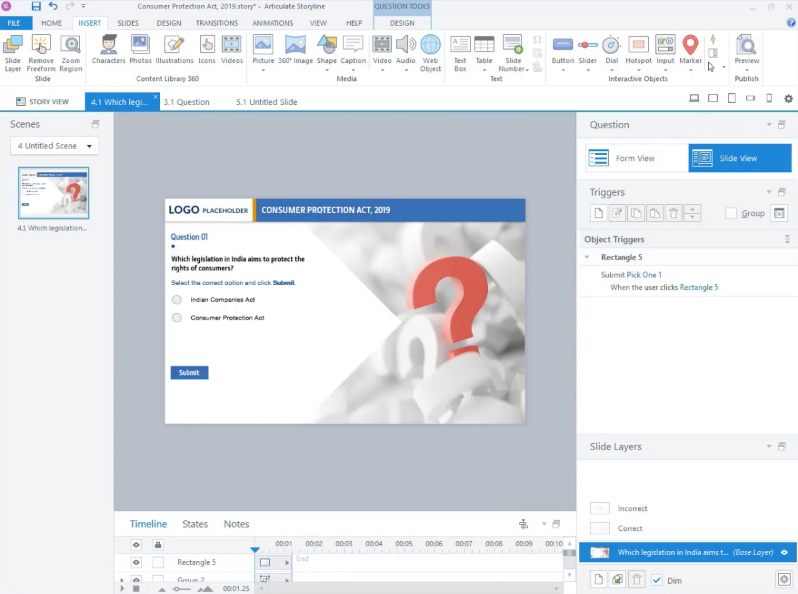
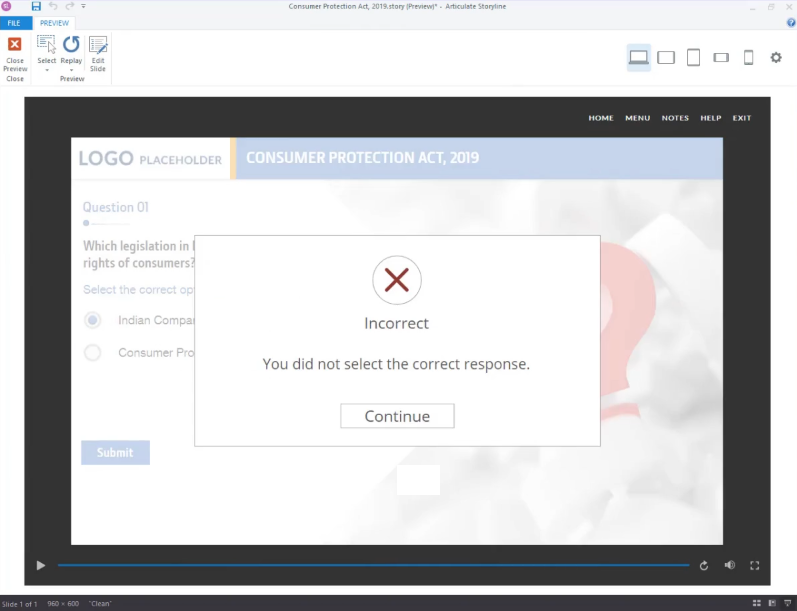
Begin by opening your Storyline file and creating a default question. This action will generate default feedback layers.
storyline

storyline

Step 2: 

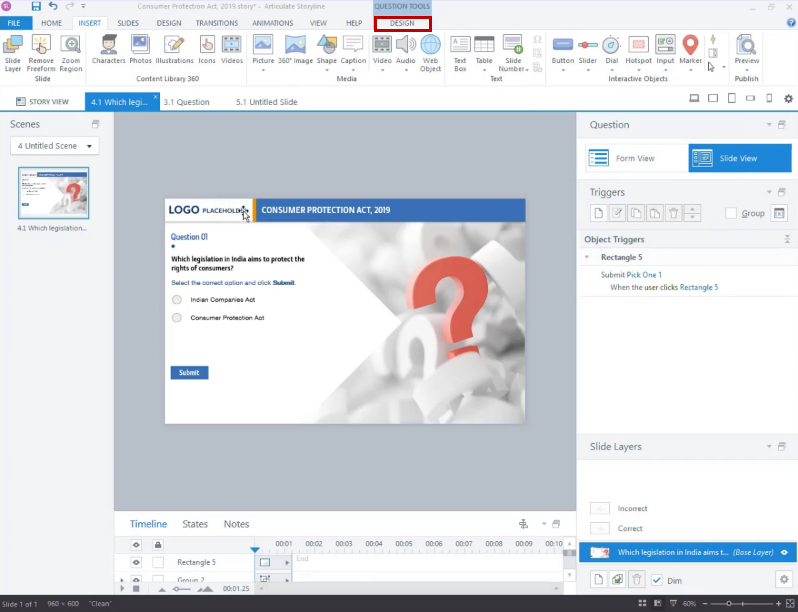
To make these feedback layers accessible, navigate to the ‘Design’ tab located in the top ribbon.
storyline

Step 3: 

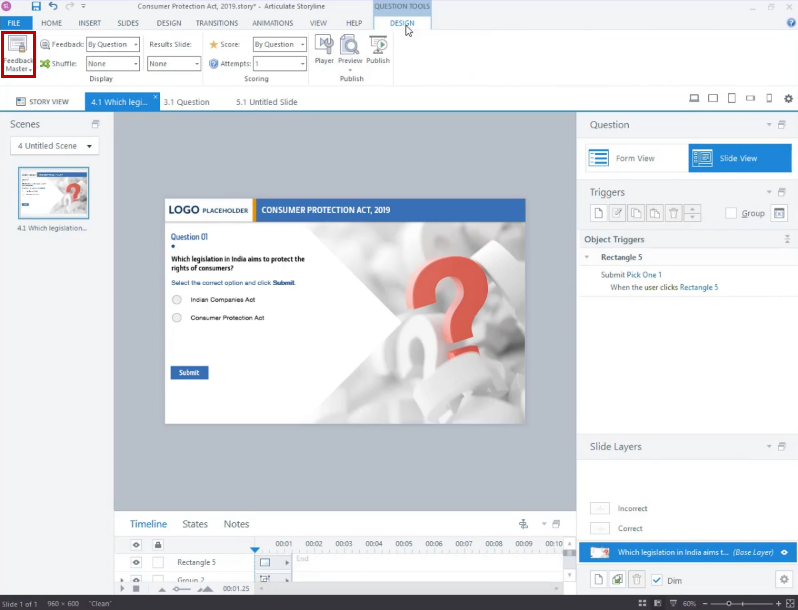
In the Design tab menu, choose the downward arrow below the Feedback Master icon.
storyline

Step 4: 

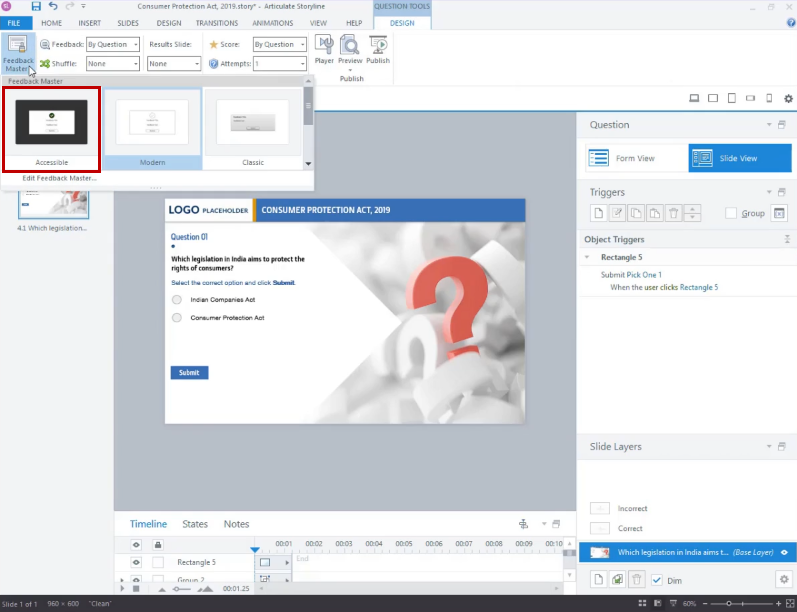
From the options list, select ‘Accessible’.
storyline

Step 5: 

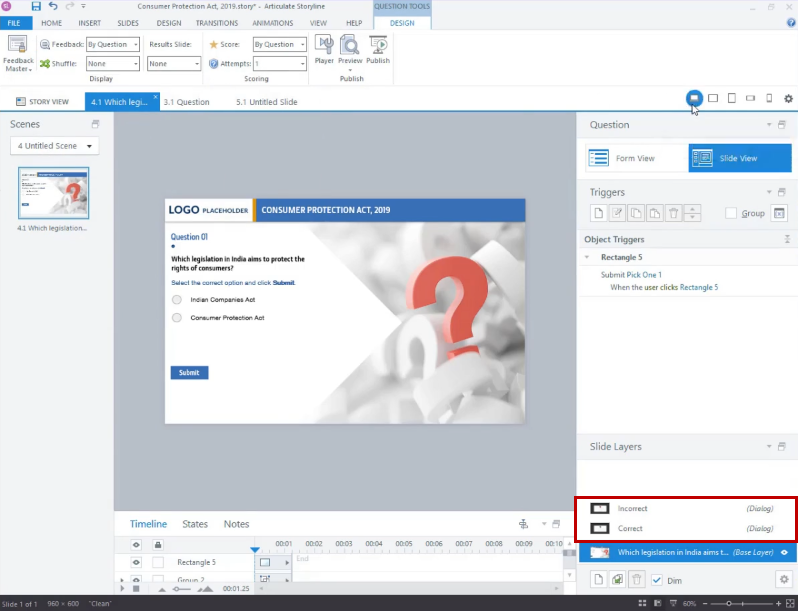
You will notice a change in the format of the feedback layers.
storyline

Step 6: 

Next, proceed to publish the file and launch the course by opening ‘story.html’.

Step 7: 

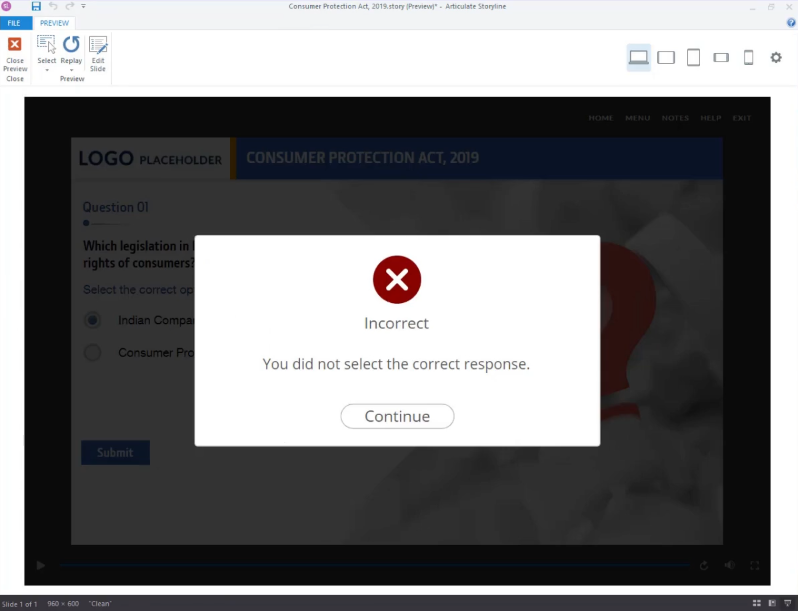
You will then observe the transformation of the feedback layers into accessible ones.
storyline

storyline

Adding accessible feedback layers to questions in Articulate Storyline 360 is a fundamental practice in creating inclusive eLearning experiences and corporate eLearning solutions. It ensures that all learners, regardless of their abilities, can access and benefit from the content, aligning with best practices in eLearning development.

By creating clear, labeled, and well-designed feedback layers, you not only improve the learning experience for those who use assistive technologies but also enhance the overall usability and effectiveness of your eLearning modules. This commitment to accessibility is a hallmark of high-quality eLearning design.

In a world where inclusivity and accessibility are paramount, adopting these practices in eLearning development is not just a good idea; it’s a requirement, especially in the context of corporate eLearning solutions. By investing time and effort into creating accessible feedback layers in Articulate Storyline 360, you contribute to a more equitable and effective learning environment for all your learners, ensuring that your custom eLearning solutions meet the highest standards.

0 replies

Leave a Reply

Want to join the discussion?
Feel free to contribute!

Leave a Reply Cancel reply

Your email address will not be published. Required fields are marked *

Share this entry
  • Share on Facebook
  • Share on Twitter
  • Share on Pinterest
  • Share on LinkedIn

ARTICULATE STORYLINE POSTS

  • step-by-step guide to customize quiz feedback colors in rise 360
    How to Customize Correct and Incorrect Answers Feedback Colors in Articulate Rise 360June 27, 2025 - 4:40 PM
  • removing labels and numbers from process blocks in articulate rise 360
    How to Remove Labels and Numbers from Process Blocks in Articulate Rise 360June 20, 2025 - 3:07 PM
  • easy-online-course-creation-ispring-suite-swift-elearning-services
    Create Online Courses with Ease Using iSpring Suite – The All-in-One eLearning Authoring Tool for PowerPointJune 16, 2025 - 11:18 AM
  • how to adjust padding in articulate rise 360 content blocks for custom e-learning
    How to Adjust Padding in Articulate Rise 360 Content Blocks for Custom E-LearningJune 9, 2025 - 5:23 PM
  • swift elearning services focuses on crafting custom elearning courses that enhance digital learning experiences.
    How to Use Snapshots to Recover Deleted Lessons in Articulate Rise 360April 23, 2025 - 3:58 PM
  • swift elearning services provides articulate 360 localization, offering tailored elearning solutions that adapt your content for global audiences.
    Articulate 360 Localization: Create, Translate, and Manage Training with EaseApril 17, 2025 - 11:24 AM
  • custom elearning solution with jump-to-time video control in storyline 360 for interactive video navigation.
    How to Use Jump-to-Time Trigger to Control Video in Storyline 360April 11, 2025 - 10:51 AM
  • how to import slides from other storyline projects
    Articulate Storyline 360 – How to Import Slides from Other Storyline ProjectsMarch 25, 2025 - 5:52 PM
  • ohs-traffic-control-training-for-construction-workers-featured-image
    OHS – Traffic Control Training Course for Construction WorkersSeptember 9, 2024 - 5:56 PM
  • ohs-road-traffic-control-training-for-road-maintenance-workers-featured-image
    OHS – Traffic Control Work Zone Safety Training for Road Maintenance WorkersAugust 1, 2024 - 3:22 PM

Get a Free Prototype Customized with Your Content.

Our Portfolios Explore Our Extensive Collection of eLearning Courses.

GET A FREE ELEARNING SAMPLE

We transform your training material into engaging, SCORM-compliant courses.

Request a Free Sample  

Our Services


  • Rapid eLearning Solutions

  • Custom eLearning Development

  • Flash to HTML5 Conversion Services

  • Mobile Learning Solutions

  • Translation and Localisation Services

  • Gamification eLearning

Our Office Address

Asia: 704, Topaz Plaza, Punjagutta, Hyderabad, Telangana, India 500082

Australia: P.O. Box 107, Brisbane, Queensland, 4030

Canada: 750 Oakdale Rd Suite 56, North York, ON M3N 2Z4, Canada

USA: 12218 Old Gage Ranch, San Antonio, Texas 78245

Copyright ©2026 Swift eLearning Services.
  • Facebook
  • Twitter
  • LinkedIn
  • Youtube
Empowering Education: The Top 5 Advantages of e-Learning Solutionselearning solutionsstoryline 360Share Your E-Learning Portfolios and Interactive Resumes (2023) #438
Scroll to top